


We’ve all had those days—drowning in a sea of notifications, stuck in back-to-back meetings, and dealing with clunky processes that make simple tasks feel impossible. It’s the classic case of being busy but not productive. This constant friction doesn’t just slow down projects; it leads to frustrated teams and burnout. True work efficiency isn’t about working longer or harder. It’s about creating a smarter, smoother environment where your team can focus on what matters. In this article, we’ll give you actionable strategies to identify and fix the bottlenecks that are draining your team’s time and energy, helping you build a workplace that runs on clarity and purpose.
Actionable Ways to Improve Workplace Efficiency
Workplace efficiency is about maximizing productivity while minimizing wasted time and resources.
- Encourage flexible work arrangements to boost productivity and autonomy.
- Set clear, measurable goals to track efficiency and progress.
- Build a collaborative environment with the right tools for seamless communication.
- Modernize outdated workflows to eliminate inefficiencies.
- Invest in office management software to optimize workspace utilization and team productivity.
By focusing on these strategies, companies can enhance productivity, reduce burnout, and build a more agile, engaged workforce.
Efficiency is all about doing more with less: less time, less stress, and fewer wasted efforts.
For this, you need to create systems and routines that make tasks flow easily – and build a work culture that enables your employees to do their best work. Depending on your company, this may or may not include hybrid work – although we’re convinced that the future of work is flexible.
In this article, we’ll give you our best tips on how to boost efficiency and productivity at your workplace, and explain why you should build an office environment that stimulates productivity (in case this isn’t instantly obvious).
But first, let’s start with a simple definition.
Why Improving Work Efficiency Matters (The Stats)
Focusing on efficiency isn't just a nice-to-have; it's a financial and cultural necessity. The numbers paint a clear picture: globally, businesses lose an estimated seven trillion dollars each year simply due to unproductive work. That staggering figure highlights the real cost of inefficiency. But efficiency is more than just protecting the bottom line. At its core, it’s about using the least amount of resources—like time and energy—to achieve the greatest results. When your team can accomplish more without feeling drained, you create a healthier, more sustainable work environment where people can focus on impactful work instead of just being busy.
The impact on your team's morale is just as significant. According to a report by McKinsey, the average employee spends nearly 60% of their time on tasks that don't add significant value. Imagine spending more than half your week on work that feels pointless—it's a direct path to frustration and burnout. On the flip side, when you implement tools like hybrid work software to streamline processes, you give that time back to your employees. This allows them to focus on what matters, which builds confidence, motivation, and overall job satisfaction. A happy, motivated team is your greatest asset, leading to better collaboration and sustainable growth.
What Does "Work Efficiency" Actually Mean?
Workplace efficiency refers to the ability of your team to complete tasks and achieve goals with the least amount of time, effort, or resources. In short, high efficiency equals high productivity – and for this, you need to simplify your workflows and processes and build a workplace culture that empowers and motivates your people to do their best work.
At the same time, you also need to think of ways to minimize inefficiencies and reduce the amount of time your team spends on tasks that are not essential to their roles, such as admin, emails, or endless meetings.
Efficiency vs. Effectiveness
It’s easy to mix up efficiency and effectiveness, but they represent two different sides of the same coin. Think of it this way: efficiency is about doing things right, while effectiveness is about doing the right things. You can be incredibly efficient at a task that doesn’t actually move the needle, which isn’t an effective use of your time. For example, you could spend an hour perfectly organizing a shared drive folder that no one on your team has used in years. You were efficient, sure, but was it effective? Not really. The goal is to find the sweet spot where your team is efficiently completing tasks that directly contribute to your company’s larger objectives, using the smallest amount of resources to achieve meaningful results.
Efficiency vs. Productivity
People often use "efficiency" and "productivity" interchangeably, but there’s a key difference. Productivity measures the output—the sheer volume of work completed. Efficiency, on the other hand, measures the input—the resources like time, effort, and cost required to produce that work. You can be productive without being efficient. Imagine two content writers are asked to write a blog post. One finishes in two hours with minimal edits, while the other takes all day and requires extensive revisions. Both were productive because they both produced a blog post, but the first writer was far more efficient. True workplace excellence happens when efficiency drives productivity, ensuring your team consistently gets more done overall without burning out or wasting valuable resources.
Common Barriers to Workplace Efficiency
Before you can improve efficiency, you need to identify what’s slowing your team down. Many companies face similar hurdles that prevent employees from doing their best work. These issues often stem from outdated processes, poor communication, or a lack of clarity. Recognizing these common barriers is the first step toward creating a more productive and streamlined work environment. From constant digital noise to confusing internal workflows, these challenges can quietly drain time and energy, impacting both morale and the bottom line. Let's look at some of the most frequent culprits that get in the way of a truly efficient workplace.
Constant Notifications and Distractions
We all know the feeling. You’re deep in concentration, and suddenly a Slack message, email, or calendar reminder pulls you away. While communication tools are essential, the constant pings can shatter focus. Research shows it can take over 23 minutes to get back on track after a single distraction. When this happens multiple times a day, the lost productivity adds up quickly. The key is to manage these tools instead of letting them manage you. This might involve setting dedicated "focus time," encouraging asynchronous communication, or using tools that integrate seamlessly into your existing workflows to reduce the need for constant app-switching.
Micromanagement
No one enjoys having their every move scrutinized. When managers hover too closely, it signals a lack of trust and can stifle creativity and initiative. Micromanagement prevents employees from taking ownership of their work, leading to disengagement and a drop in morale. This is especially damaging in a flexible work model where autonomy is key. Instead of overseeing every detail, effective leaders provide clear direction and then trust their team to deliver. This approach empowers employees, fosters a sense of responsibility, and ultimately leads to better, more innovative results. Building a culture of trust is fundamental to any efficient hybrid work strategy.
Slow or Complex Processes
Does booking a meeting room require a five-step approval process? Do expense reports get lost in a sea of bureaucratic red tape? Overly complicated or slow internal processes are a major drain on efficiency. When tasks are bogged down by too many steps, unclear rules, or long approval chains, it creates frustration and wastes valuable time that could be spent on more important work. Streamlining these workflows is crucial. Look for opportunities to automate repetitive tasks, simplify procedures, and use technology like a meeting room booking system to make everyday office logistics effortless for everyone involved.
Conflicting Priorities
When your team doesn't have a clear understanding of their goals, they can't work efficiently. A lack of clarity leads to wasted effort, as people may spend time on tasks that aren't aligned with the company's main objectives. This problem is often made worse by conflicting priorities, where employees are pulled in multiple directions without a clear sense of what matters most. To fix this, leaders must define and communicate clear, measurable goals. When everyone knows what the target is, who is responsible for each part, and what the deadlines are, they can align their efforts and move forward with purpose and confidence.
6 Ideas to Improve Workplace Efficiency
So, what exactly can you do to boost your team’s efficiency without adding any extra stress to their workdays? Below, we’ll explore the best 6 strategies you can implement.
1. Offer More Workplace Flexibility
Flexible management is one of the best strategies for improving team productivity. The autonomy of remote work encourages efficiency because it enables people to work at their most productive times.
By giving your employees sufficient workplace flexibility, you give them a strong signal of trust and show them that you aren’t interested in micromanaging them or in deciding for them how exactly they should be doing their jobs, or when, or where. Instead, you’re providing them with the resources and freedom they need to do high-quality work – and are ready to provide the right conditions for that.
The idea of the manager as an enabler who serves their team is not new; for a deep dive, you can check the book “Work Rules!” by Laszlo Bock, ex-Head of People Operations at Google, where he explains why managers should focus on clearing roadblocks and inspiring their team rather than micromanaging employees or using a more traditional stick-and-carrot approach.
And, although Google’s culture has certainly changed since he left the company in 2016, his ideas are as relevant as always – and the company continues offering hybrid work to its employees.
Use Hybrid Work Software
For companies with a hybrid model, coordinating who is in the office and when can quickly turn into a logistical nightmare. Instead of relying on messy spreadsheets or endless chat threads, you can use technology to streamline everything. Investing in hybrid work software helps you optimize your workspace and make data-driven decisions instead of just guessing who will show up. A dedicated tool allows employees to easily book desks, see when their colleagues are coming in, and plan their collaborative days. This visibility is key for building a strong team dynamic. For example, a tool like Officely works directly within the platforms your team already uses, like Slack and Teams. That means there's no new app to learn, making the entire process efficient from the start.
2. Set and Track Clear Efficiency Goals
We can probably all agree that measuring outcomes makes much more sense than policing your team. The best way to make sure you’re making progress in terms of team productivity and efficiency is to set objectives and measure progress towards them.
For the best results, set objectives for the team as a whole and for individual team members, and ensure that:
- Work goals are specific, realistic, and measurable
- You track progress regularly (at least quarterly, and ideally more often)
- There’s ownership and accountability at every level
- You have put in place feedback loops and ways to deal with roadblocks
Those goals can be related to overall work outcomes you expect from your team members, or they can also be related to specific efficiency improvements you’re seeing with time.
Use a Prioritization Method
Not all tasks carry the same weight, yet it’s easy for teams to get caught up in busywork that doesn’t move the needle. A prioritization method helps everyone distinguish between what’s urgent and what’s truly important. One of the most straightforward approaches is the Eisenhower Matrix, which categorizes tasks into four quadrants: do first, schedule, delegate, and delete. By teaching your team to quickly assess tasks based on urgency and importance, you empower them to focus their energy on high-impact activities. This simple framework reduces overwhelm and ensures that critical projects always get the attention they deserve, leading to more effective resource allocation and better outcomes.
Break Down Large Projects
A massive project on the horizon can feel intimidating and often leads to procrastination. The best way to tackle it is to break it down into smaller, more manageable pieces. This approach makes the work feel less overwhelming and provides a clear roadmap for the team. Start by creating a detailed project plan that outlines every step, assigns responsibilities, sets realistic timelines, and defines what success looks like. Dividing a large goal into a series of smaller tasks creates opportunities for quick wins, which keeps motivation high. It also allows for better progress tracking and makes it easier to pivot if you encounter unexpected roadblocks along the way.
3. Encourage Team Collaboration
To have your team get things done creatively and quickly – which will feel rewarding for them and be beneficial for you as a manager – you should build a culture based on teamwork and collaboration.
Start by creating an environment where team members feel safe sharing ideas, asking questions, and even making mistakes. Clear roles and responsibilities also help prevent duplicated efforts and confusion.
But collaboration isn’t just about the people; it’s also about tools. Invest in platforms that enable your team to communicate easily, share files, and manage projects, regardless of whether they’re working remotely or at the office.
Tools like Slack or Microsoft Teams can make a huge difference when used effectively. And, if you’re managing a hybrid workplace, a desk booking app that enables team members to reserve workstations and see when is the best time to come to the office will help everyone be more productive.
4. Find and Fix Inefficient Processes
Outdated workflows are one of the biggest barriers to efficiency. If your team is still relying on spreadsheets for scheduling or spending precious work hours on data entry, it’s time for an upgrade.
Start by reviewing current processes and asking your team for input – after all, they’re the ones who’re using your current systems and dealing with their inefficiencies every day. Once you’ve identified bottlenecks, look for modern tools to simplify or automate tasks.
For example, replacing manual approvals with an automated system can save hundreds of hours in back-and-forth emails, as can using project management software. Integrating AI in your processes in a smart way might also help teams be more efficient – but make sure you know exactly what you’re looking to automate and whether the outcomes are actually better for your team.
Document Your Processes
After you've gathered feedback from your team, the next step is to write everything down. Documenting your processes creates a single source of truth for how tasks should be done, which is invaluable for consistency and training new hires. It gives you a clear map of your current workflows, making it much easier to spot the exact points where things get clunky or slow down. For example, if your process for booking a desk involves a shared spreadsheet and a series of emails, documenting it will highlight just how many steps are involved. This makes it obvious where a dedicated hot desk booking system could streamline the entire operation. Keep the documentation simple—think checklists and flowcharts stored in a shared space—and treat it as a living document that your team can help keep up-to-date.
5. Equip Your Team with Better Software
The right office management platform can help you boost workplace efficiency in a number of ways – which is exactly why we built Officely. With tools like desk booking software, attendance visibility, and resource utilization tracking, you can create a workspace that works smarter, not harder.
Officely helps your employees plan their days, making it easier to decide when and where to work, and see who else is in the office on any given day. It enables them to book desks or meeting rooms in only a few clicks, directly from Slack or MS Teams.
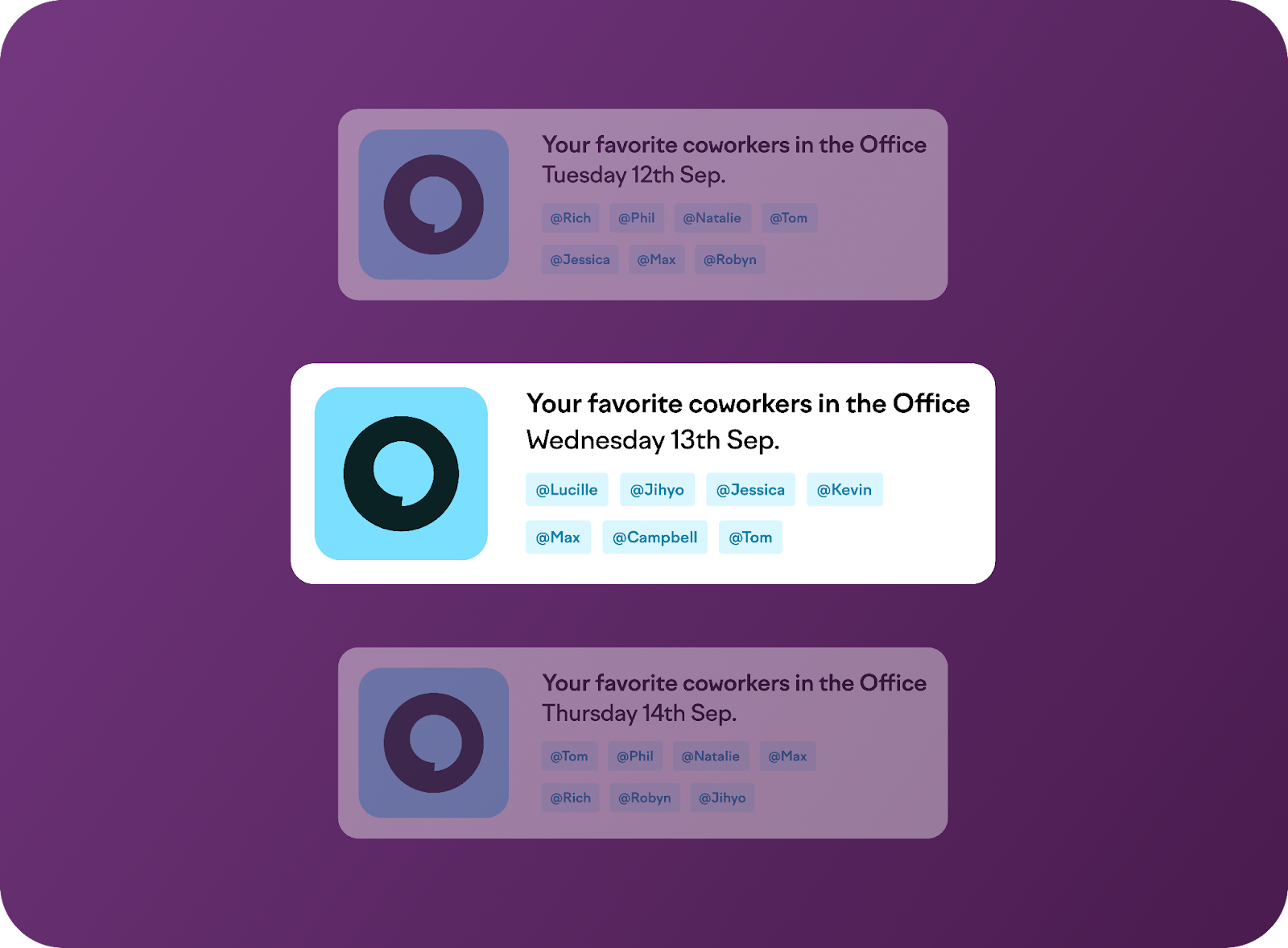
For managers, it simplifies hybrid meeting planning and provides insights into employee attendance and resource utilization. And for office managers, it takes the guesswork out of managing resources.
By helping your team stay organized on a hybrid schedule and by encouraging collaboration without forcing it, you’ll be able to create a solid balance between flexibility and structure.
6. Prioritize Work-Life Balance to Prevent Burnout
Burnout kills productivity.
The best way to avoid it is to promote a good work/life balance, which starts with reasonable workloads and a good variety of tasks and types of work. Make sure your team’s schedules allow time for focused work, collaboration, and breaks.
Regularly check in to see how employees are feeling and whether they have too much on their plates. Proactively adjust workloads when needed; not everyone is confident enough to say “No”, especially if they’re already feeling stressed.
Flexibility also goes a long way. By allowing employees to manage their schedules or work from home when needed, you help prevent unnecessary stress – especially for caregivers.

More Strategies for an Efficient Workplace
Beyond the big-picture strategies, improving efficiency often comes down to the daily habits and cultural norms you establish with your team. Small, consistent changes in how you manage time, priorities, and recognition can have a significant impact on overall productivity. These adjustments help create a work environment where everyone can focus on what truly matters, leading to better results without the risk of burnout. Let's look at a few practical methods you can introduce to your team's routine.
Implement Time Management Techniques
Teaching your team effective time management methods empowers them to take control of their workday and focus their energy more effectively. Instead of letting the day's demands dictate their schedule, they can proactively structure their time to align with key priorities. This approach not only improves output but also reduces the stress that comes from feeling constantly reactive. Introducing structured techniques gives everyone a shared language and framework for managing their tasks, which is especially helpful in a flexible or hybrid work environment where routines can vary.
The Pomodoro Technique
The Pomodoro Technique is a simple yet powerful method for maintaining focus. It involves working in focused 25-minute intervals, separated by short 5-minute breaks. This cycle helps prevent mental fatigue and makes large tasks feel more manageable. By breaking the day into short sprints, your team can sustain high levels of concentration without getting overwhelmed. It encourages them to fully commit to a single task during each interval, minimizing distractions and the temptation to multitask, which often leads to less efficient work.
Time Boxing
Time boxing is another excellent strategy where you allocate specific blocks of time to individual tasks on your calendar. This means scheduling everything from deep work sessions to checking emails and taking breaks. By treating your to-do list like a schedule, you create a clear plan for the day and commit to focusing on one thing at a time. This method is great for preventing tasks from expanding to fill all available time and ensures that important, non-urgent work doesn't get pushed aside by more immediate, but less critical, demands.
Learn to Say "No"
One of the most underrated skills for improving efficiency is learning to say "no." This doesn't mean being unhelpful; it means protecting your team's time and energy for the tasks that align with your core objectives. When new requests come in, it's crucial to evaluate whether they contribute to your team's primary goals. Politely declining or postponing requests that are out of scope ensures that your team can stay focused on their most important work. This practice empowers your team to prioritize effectively and prevents their schedules from being derailed by distractions, ultimately leading to higher-quality outcomes on the projects that matter most.
Recognize and Reward High Performers
Acknowledging and rewarding employees for their hard work is essential for maintaining momentum and motivation. When top performers feel that their contributions are seen and valued, they are more likely to stay engaged and continue delivering great results. Recognition doesn't always have to be a grand gesture; simple, timely praise can be incredibly effective. On the other hand, if great work goes unnoticed, your most dedicated employees may start to feel that their extra effort isn't worthwhile. Creating a culture of appreciation reinforces positive behaviors and shows the entire team what success looks like.
How to Measure Work Efficiency
To make meaningful improvements, you first need to understand your starting point. Measuring work efficiency allows you to identify bottlenecks, track progress, and make data-driven decisions instead of relying on guesswork. By using clear metrics, you can see which strategies are working and where adjustments are needed. This data provides valuable insights into team performance and helps you set realistic goals for the future. It also gives you a way to demonstrate the impact of new tools or processes, like how a flex office software might correlate with improved project turnaround times.
Output Per Employee
One of the most straightforward ways to measure efficiency is by looking at the output per employee. This metric tracks the amount of work each person accomplishes within a specific period. For example, you might measure the number of sales calls made, articles written, or support tickets closed. While it's a useful indicator, it's important to consider it alongside quality. High output is great, but not if it comes at the expense of accuracy or customer satisfaction. This metric is most effective when used to understand individual capacity and identify trends over time rather than for direct comparisons between team members with different roles.
Task Completion Rate
The task completion rate measures the percentage of assigned tasks that are finished within a given timeframe. This metric helps you understand if workloads are manageable and if your team is meeting its commitments. A consistently low completion rate might signal that employees are overloaded, that deadlines are unrealistic, or that there are obstacles preventing them from getting their work done. Tracking this rate can help you spot potential issues early, allowing you to adjust workloads or provide additional support before burnout becomes a problem. It’s a great way to keep a pulse on your team’s overall productivity and capacity.
Average Time to Complete a Task
Measuring the average time it takes to complete a recurring task or project provides insight into your team's processes. If you notice this time decreasing, it's a good sign that your team is becoming more efficient. Conversely, if the time to completion starts to increase, it could indicate a new bottleneck, a need for more training, or a flaw in the workflow. This metric is particularly useful for gauging the impact of new tools or process changes. For instance, after implementing a new meeting room booking system, you could measure if it reduces the administrative time spent organizing team collaborations.
Error Rate
The error rate, or rework rate, tracks how often mistakes are made or work needs to be redone. A high error rate can be a major drain on efficiency, as it consumes time and resources that could be better spent on new tasks. Monitoring this metric helps you identify areas where processes might be unclear or where team members may need additional training. Reducing the error rate not only improves efficiency but also enhances the quality of your team's output. It’s a critical metric for ensuring that you’re not just working fast, but also working smart and producing reliable results.
The Real Benefits of an Efficient Workplace
Improving workplace efficiency means creating a productive and positive work environment where employees can thrive. It’ll also help you cut costs, keep your team engaged, and deal better with change and disruptions – which are all key for building a resilient company.
An Efficient Team Drives Better Results
When employees have the tools, time, and clarity they need, they get more done – and they do it better. Efficiency helps teams hit their goals faster without feeling stretched thin, giving your business an edge.
In short, achieving team goals should never be about individual employees working longer hours, but rather, about removing the roadblocks that slow things down.
The result? High quality work, done faster, with a team that feels proud of their contributions.
Reduce Costs and Save Resources
Every inefficient process, whether it’s a clunky approval system, excessive meetings, or outdated tools, costs you more than just time – it costs you precious team resources that could be better used elsewhere. Or, simply put, it costs you money.
Simplifying workflows helps cut unnecessary costs and free up budgets for better, more impactful initiatives – and for more employee benefits, too.
Gain a Competitive Advantage
In a crowded market, efficiency is your secret weapon. It’s about more than just getting things done faster; it’s about creating a positive and productive environment where your team can truly thrive. When you streamline workflows and remove unnecessary hurdles, you empower your employees with the clarity and tools they need to do their best work. This not only helps your team hit their goals without feeling overworked but also builds a more agile and resilient company. An efficient workplace can adapt to change, keep your team engaged, and consistently outperform the competition, giving your business a sustainable edge.
Create Opportunities for Career Advancement
Efficiency isn't just a top-down benefit; it directly impacts every individual on your team. When employees aren't bogged down by clunky processes or repetitive admin tasks, they have more time and mental space to focus on meaningful, high-impact work. This allows them to develop new skills, take on greater responsibilities, and make a more significant difference within the company. As individuals become more effective in their roles, they naturally advance in their careers. This creates a powerful cycle: employees feel more engaged and valued, leading to higher retention, while the company benefits from a more skilled, innovative, and motivated workforce.
Frequently Asked Questions
How do I start improving efficiency without overwhelming my team with new rules? Start by asking your team one simple question: "What is the single biggest thing that slows you down or gets in your way each week?" Their answers will give you a clear, targeted starting point. Instead of rolling out a massive new initiative, you can focus on fixing one or two of these genuine bottlenecks. This approach shows you're listening and makes your team part of the solution, which is far more effective than imposing changes from the top down.
My team is already productive. How is that different from being efficient? It's great that your team is getting a lot done! Think of it like this: productivity is about the quantity of work completed, while efficiency is about the quality of the effort it took to get there. A productive team might finish ten projects by working long hours and dealing with frustrating processes. An efficient team finishes those same ten projects in less time, with less stress, because their workflows are smooth and their resources are used wisely. The goal is to be both, but efficiency is what makes productivity sustainable.
How can I ensure flexibility doesn't lead to less collaboration and lower efficiency? The key is to be intentional about how your team connects. Flexibility doesn't mean everyone works in isolation. Encourage your team to plan their in-office days around specific collaborative tasks, like brainstorming sessions or project kick-offs. Using a tool that gives everyone visibility into who is working from the office and when helps people coordinate easily, making their time together more purposeful and productive.
We have a lot of software already. How do I introduce a new tool without adding to the digital noise? This is a common concern, and a valid one. The best way to avoid "tool fatigue" is to choose software that integrates directly into the platforms your team already uses every day, like Slack or Microsoft Teams. This eliminates the need for them to learn and manage yet another login or application. The goal of new software should be to simplify a process, not to add another step to it.
What's the most common mistake managers make when trying to improve workplace efficiency? The biggest mistake is focusing solely on metrics and tools while ignoring the human element. It's easy to get caught up in tracking task completion times or implementing new software, but true efficiency comes from a place of trust. If you try to solve problems by micromanaging or policing your team's time, you'll crush morale and motivation. The most effective approach is to provide clear goals, trust your team to do their work, and focus on removing obstacles for them.
Key Takeaways
- Streamline Your Processes to Free Up Time: Identify and remove the bottlenecks that slow your team down. Documenting your workflows and using prioritization frameworks helps everyone focus on work that truly matters, not just busywork.
- Pair Flexibility with the Right Technology: A hybrid model thrives on trust and clear coordination. Use tools integrated into your team's existing platforms, like Slack or Teams, to manage office days and book desks, making in-person collaboration intentional and effortless.
- Use Data to Support Your Team's Well-being: Track metrics like task completion and error rates not to micromanage, but to spot signs of overload. This approach allows you to proactively adjust workloads and remove obstacles before they lead to burnout.

.jpg)





.svg)