


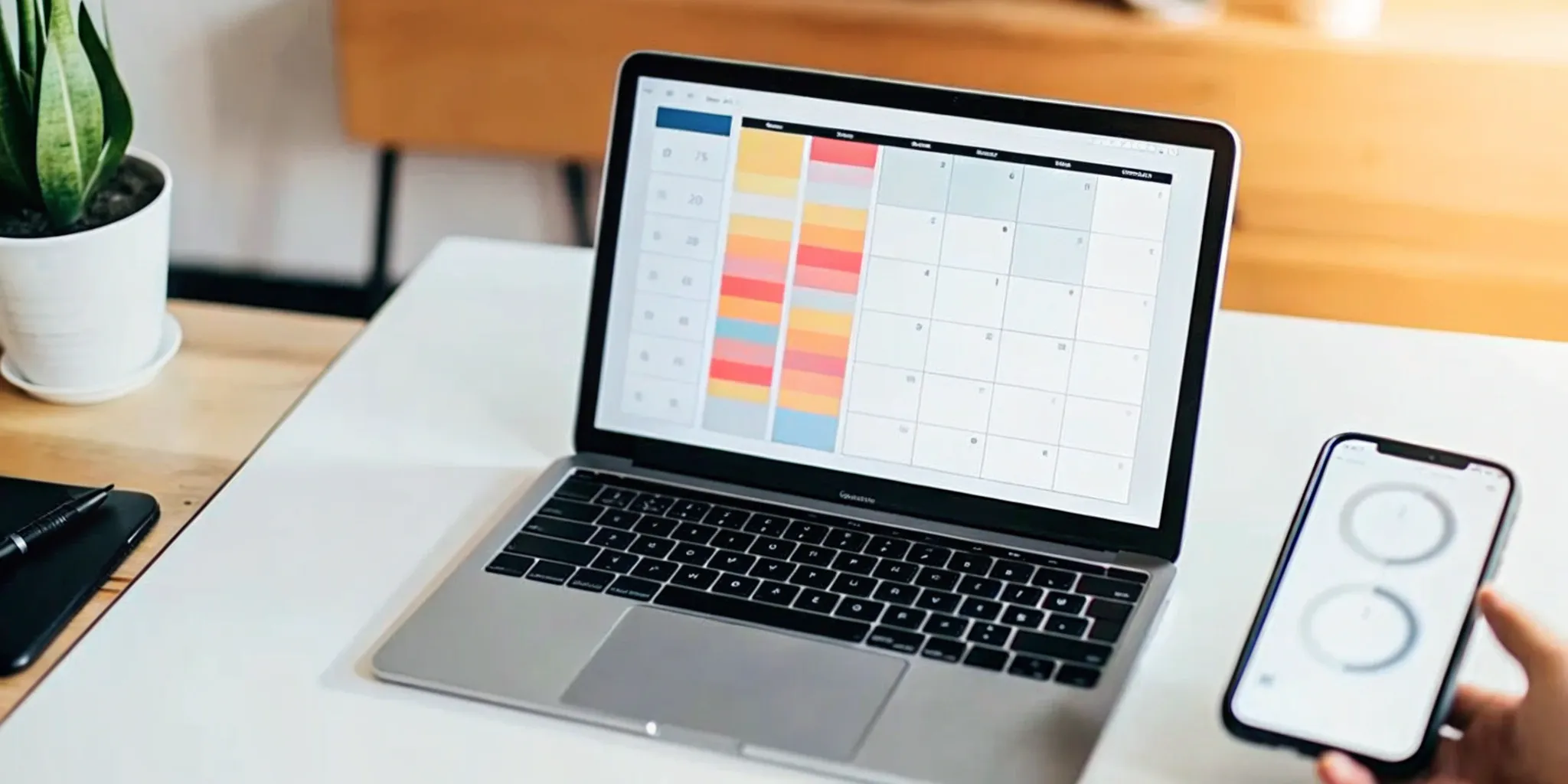

You know the drill. You introduce a shiny new tool, and... crickets. The most effective software is the kind your team actually uses. Adding another app with a separate login is a recipe for low adoption. When it comes to managing your hybrid office, the best hot desking tool is one that lives inside the platforms your team already uses every day, like Slack or Microsoft Teams. This makes employee self-service desk booking as easy as sending a message, removing friction and ensuring everyone gets on board. We’ll compare the top tools that fit right into your existing workflow.
Key Takeaways
- Solve hybrid work chaos: A booking tool replaces uncertainty with a reliable system, guaranteeing employees a space when they come in and giving managers clear insights into office usage.
- Prioritize adoption over features: The best tool is one your team will actually use. Focus on a simple interface and seamless integrations with platforms like Slack or Teams to make booking a natural part of the workday, not another chore.
- Plan your launch for a smooth transition: A successful rollout requires more than just sending an invite. Start with a pilot group, communicate the "why" behind the change, and gather feedback to ensure the new system genuinely improves the employee experience.
What is Hot Desking?
At its core, hot desking is a flexible office management system where employees don’t have assigned seats. Instead of having a personal desk that sits empty when they’re working from home, team members choose from a pool of available desks when they come into the office. This approach helps companies use their space much more efficiently, ensuring that the office is a vibrant hub of activity rather than a sea of unoccupied workstations. For businesses, this means you can support a larger, more flexible team without needing to lease more square footage, which is a huge win for your bottom line.
For employees, the benefits are just as compelling. Hot desking gives them the autonomy to choose a workspace that fits their needs for the day. They might opt for a quiet corner to focus on a report or a spot in a collaborative zone to work with their team. This freedom of choice can also spark new connections, as people from different departments end up sitting near each other and sharing ideas. To make it all work without a hitch, a reliable hot desk booking system is essential. It removes the uncertainty of finding a spot and lets everyone plan their office days with confidence.
Hot Desking vs. Hoteling: What's the Difference?
You might hear the terms "hot desking" and "hoteling" used interchangeably, but there’s a subtle, traditional difference between them. Think of classic hot desking as a first-come, first-served system—you show up and grab any open desk, which can sometimes lead to a bit of a morning scramble. Hoteling, on the other hand, is more like booking a hotel room; you reserve a specific workspace in advance for a certain time. This guarantees you have a spot waiting for you when you arrive, providing a sense of security and predictability for your office day.
These days, the lines have blurred, and the term "hot desking" often covers both models, though the reservation-based approach is far more common. Most modern companies using a flex office software have adopted the hoteling method of pre-booking because it provides essential structure. It ensures that no one makes the commute into the office only to find there’s nowhere to work. So, while the terminology might vary, the goal is the same: to create an organized, flexible environment where everyone has the space they need to do their best work.
Hot Desking vs. Dedicated Desks
The main difference between hot desking and dedicated desks comes down to ownership and consistency. A dedicated desk is your personal home base in the office—it’s assigned to you and only you. You can leave your extra monitor, photos, and favorite coffee mug right where they are, knowing they’ll be waiting for you every morning. This model offers a strong sense of personal space and routine, which some employees really value for productivity and comfort. It’s the traditional way of organizing an office, where everyone has their own permanent spot to call their own.
Hot desking flips that model on its head by treating desks as a shared resource that no single person "owns." This approach is perfect for hybrid teams where not everyone is in the office at the same time, as it prevents desks from sitting empty and unused. It saves the company significant money on real estate and encourages a more dynamic and collaborative atmosphere. The choice isn't about which is better, but what aligns with your company culture. Many organizations even find a middle ground, offering dedicated desks for roles that require it and hot desks for everyone else.
Is a Workspace Booking Tool Right for Your Team?
If you’re managing a hybrid office, you know the drill. Some days, the office is so quiet you can hear a pin drop. Other days, it’s standing room only, with teams scrambling to find a place to collaborate. This unpredictability isn’t just a minor inconvenience—it makes it incredibly difficult to manage resources, foster collaboration, and ensure everyone has what they need to do their best work.
A workspace booking tool is designed to solve this exact problem. It brings a layer of predictability and organization to your flexible work model. Instead of guessing who’s coming in, you get a clear, real-time view of office attendance. This allows you to manage everything from desk assignments and meeting rooms to parking spots and even the coffee supply. It’s about transforming your office from a source of daily uncertainty into a well-oiled hub for productivity and connection.
The Rise of Hybrid Work
The way we work has fundamentally changed. Many companies now operate on a hybrid model, where employees split their time between the office and home. This flexibility is fantastic, but it presents a logistical puzzle: how do you manage an office that's never at full capacity but still needs to function smoothly for those who are there? This is where hot desking comes in. It’s a system designed specifically to manage this setup, allowing employees to book a desk for the days they plan to be in the office. This approach ensures that everyone has a guaranteed spot without the company having to maintain a dedicated desk for every single person, making it a cornerstone of modern hybrid work software.
Key Benefits of Hot Desking
Adopting a hot desking model does more than just solve the "who sits where" problem. It introduces a new level of dynamism and efficiency to the workplace. By moving away from assigned seating, you open the door to a more collaborative, flexible, and cost-effective office environment. It encourages employees to interact with colleagues they might not normally see, which can lead to fresh ideas and stronger working relationships. A well-implemented hot desk booking system also provides valuable data on office usage, helping you make smarter decisions about your real estate needs and office layout. It’s a strategic shift that can positively impact everything from your company culture to your bottom line.
A Cleaner, More Organized Office
One of the most immediate benefits of hot desking is a tidier, more streamlined office. When desks aren't permanently "owned," they don't accumulate the personal clutter that can make a space feel messy. Instead, employees are encouraged to clear their space at the end of the day, leaving it ready for the next person. This "clear desk" policy means offices use their space better because desks aren't sitting empty and collecting dust. It also simplifies cleaning and maintenance, contributing to a more professional and welcoming environment for everyone. It’s a simple change that has a surprisingly large impact on the overall feel of the office.
Improved Collaboration Across Departments
Static seating charts can create invisible walls between teams. Hot desking tears them down. When employees can choose where to sit each day, it becomes much easier for different teams to talk and work together. A marketer might sit next to a developer, sparking a conversation that leads to a new product feature idea. This constant mixing of people and perspectives can make the workday less boring and far more innovative. It fosters a culture of spontaneous collaboration where great ideas can come from anywhere, simply because the right people happened to be sitting near each other.
A More Approachable Leadership Team
Hot desking can also help flatten the traditional corporate hierarchy. When senior leaders participate in the system, they might sit next to anyone in the company, from a new hire to a veteran employee. This simple act makes them seem more approachable and breaks down the barriers that can exist between management and staff. It creates opportunities for informal conversations, quick feedback, and genuine connection that might never happen in a more structured office layout. This accessibility helps build trust and fosters a more inclusive culture where everyone feels like they are part of the same team.
End the 'Where Do I Sit?' Scramble
For employees, the biggest appeal of a hybrid model is flexibility. But that flexibility can quickly turn into frustration without the right system in place. Imagine commuting into the office only to find there are no desks available, or that the specific monitor you need has already been claimed. These booking conflicts can lead to a poor employee experience and discourage people from coming in at all.
A good hot desk booking system eliminates this guesswork. Team members can see who else is planning to be in the office, reserve their preferred workspace in advance, and walk in knowing they have a spot waiting for them. This simple act of booking a desk provides the certainty needed to make office days feel intentional and productive, rather than chaotic and stressful.
How a Hot Desking Tool Simplifies Your Day
From an office manager’s perspective, a booking tool is a game-changer. It moves you from a reactive to a proactive management style. Instead of constantly putting out fires—like double-booked meeting rooms or a shortage of available desks—you can see and manage your space with ease. These tools streamline the entire process, allowing you to optimize how your office is used.
More importantly, the right hybrid work software provides data-driven insights into how your team uses the office. You can see which days are most popular, which desks are in high demand, and which spaces are underutilized. This information is invaluable for making informed decisions about your real estate footprint, office layout, and resource allocation, ensuring your workspace truly supports your team’s needs.
What Makes a Great Hot Desking Tool?
Choosing the right workspace booking tool can feel overwhelming with so many options on the market. But the best platform for your team is the one that solves your specific challenges without creating new ones. A great tool simplifies the logistics of hybrid work, making it easy for employees to collaborate in person while giving you the data you need to manage your office effectively. As you compare your options, focus on a few key areas to find a tool that not only meets your needs today but can also grow with you.
An Interface Anyone Can Use
If a tool is clunky or confusing, your team simply won’t use it. The whole point of a booking system is to make office life easier, so prioritize a clean, intuitive design that feels effortless. Your team members should be able to see who’s in the office, book a desk, and find a colleague in just a few clicks. Look for a platform that solves the hybrid coordination puzzle without adding unnecessary complexity. The best tools feel like a natural extension of your workflow, not another piece of software to learn.
Flexible Booking for Desks, Rooms, and More
Your office is more than just a collection of desks. A robust booking tool should give you the flexibility to manage all your resources effectively. This means having the ability to handle different types of spaces, from individual hot desks and permanent workstations to meeting rooms and even office parking spots. Look for features that let you create team-based zones or "neighborhoods" to ensure colleagues who need to collaborate can sit together. The right hot desk management system allows you to set custom booking policies that reflect how your team actually works.
Data That Helps You Make Better Decisions
How do you know if your office space is actually working for your team? The right data can tell you. A great workspace booking tool does more than just manage reservations; it provides valuable insights into how your space is being used. Look for a platform with a clear analytics dashboard that tracks key metrics like office attendance, peak usage days, and popular zones. These insights into space utilization can help you make smarter, data-backed decisions about your real estate needs and office layout.
Keep Your Data Safe and Secure
When you’re handling employee schedules and location data, security is non-negotiable. A trustworthy booking platform must have strong security measures in place to protect your company’s and your employees’ private information. Before committing to a tool, ask about its security protocols. Features like data encryption and compliance with regulations like GDPR and SOC 2 are essential. This ensures that your data is handled responsibly and protected from potential threats, giving you and your team peace of mind.
Plays Well with Your Other Tools
The most effective tools are the ones that fit seamlessly into the systems your team already uses every day. A standalone app that requires everyone to open another tab is just another hurdle to adoption. Instead, look for a workspace booking tool that offers deep integrations with your primary communication platforms, like Slack and Microsoft Teams. When booking a desk is as simple as sending a message, it becomes a frictionless part of the workday, which is key to getting your whole team on board.
Must-Have Features for Modern Teams
Once you start looking at different workspace booking tools, you’ll notice they all handle the basics. But the features that truly make a difference are the ones that streamline the experience for everyone, from the newest hire to the office manager. The right tool doesn’t just let you book a desk; it automates tedious tasks, integrates with your existing calendar, and gives you the control you need to manage your space effectively. These are the non-negotiable features that separate a basic booking tool from a comprehensive workspace management solution that your team will actually enjoy using.
Automatic Check-in and Check-out
There’s nothing more frustrating than a sea of empty desks that are supposedly "booked." This is where automatic check-in and check-out features come in. This functionality ensures that reserved desks are actually being used, freeing up no-show bookings for others. Some tools prompt users to confirm their arrival via a notification in Slack or Teams, releasing the desk if they don't check in within a certain timeframe. This simple process keeps your office running efficiently, prevents wasted space, and provides you with accurate data on who is actually in the office, not just who planned to be.
User Management and Permissions
Every office has its own unique needs, and a one-size-fits-all booking system rarely works. That’s why strong user management capabilities are so important. This feature allows administrators to set specific rules and permissions, ensuring the right people have access to the right resources. You can create designated "neighborhoods" for specific teams, reserve certain desks for new hires, or restrict access to quiet zones. This level of control helps you organize your office in a way that supports collaboration and aligns with your company’s policies, making the space work better for everyone.
Calendar Integration
To get your team on board, a booking tool needs to fit into their existing routine. A crucial piece of this puzzle is calendar integration. When an employee’s desk booking automatically appears in their Google or Outlook Calendar, it becomes a seamless part of their daily schedule. This not only helps them remember which days they’ve planned to be in the office but also gives their colleagues visibility, making it easier to coordinate in-person meetings. It’s a simple feature that removes a significant amount of friction and helps make office visits feel more planned and intentional.
Manager Booking Capabilities
Sometimes, coordinating a team day at the office requires a little help from management. Manager booking capabilities allow team leads or administrators to reserve desks on behalf of their employees. This is incredibly useful for planning project kick-offs, team-building days, or important all-hands meetings where you need everyone in the same area. Instead of asking each person to book their own spot, a manager can reserve a block of desks in one go, ensuring the whole team can sit together and collaborate effectively. It’s a feature that simplifies coordination and empowers leaders to bring their teams together with ease.
Comparing the Best Desk Booking Software
Choosing the right workspace booking tool can feel like a huge decision, but it doesn't have to be complicated. The best platform for you really comes down to your team’s specific needs, your existing tech stack, and your long-term goals for your office. With so many options available, it’s easy to get lost in feature lists. That's why I’ve broken down the top contenders in the space to give you a clear, side-by-side look. Each of these tools has a unique strength, whether it’s deep analytics, user-friendly maps, or seamless integrations with the software you already use.
Think of this as your guide to finding the perfect match. We'll look at what makes each tool stand out, who it’s best suited for, and how it can help you create a more organized and efficient hybrid workplace. We'll cover everything from tools that live inside Slack to platforms that offer robust visitor management. The goal is to find a system that not only solves your immediate booking headaches but also supports your company culture and scales with you over time. By the end of this comparison, you’ll have a much clearer picture of which solution will fit right into your company’s workflow and help your team thrive in a flexible environment.
Officely
Officely is designed to be the central hub for your hybrid office, and it truly shines because it lives inside the tools your team already uses every day: Slack and Microsoft Teams. This eliminates the need for yet another app and password, which is a huge win for adoption. Beyond simple reservations, it offers a complete suite of tools, including a hot desk booking system, meeting room scheduling, and even office parking management. With advanced analytics and deep integrations, Officely acts as a full command center that grows with you as your workplace needs change. It’s ideal for companies that want a holistic, user-friendly solution that employees will actually enjoy using.
OfficeSpace
If you’re a data-driven office manager focused on optimizing every square foot, OfficeSpace is a fantastic choice. Its strength lies in providing incredibly detailed analytics on how your desks and rooms are being used. This information is invaluable for making informed decisions about your real estate footprint and reconfiguring layouts to better suit your team's habits. While it helps employees find and book spaces, its true power is in the backend reporting, making it a strong contender for companies looking to maximize their workspace utilization and justify their office investments with hard numbers.
Robin
Robin uses AI to help manage the modern workplace and is built with facilities, IT, and operations teams in mind. It simplifies the process for employees to book everything they need for a day at the office—from desks and meeting rooms to parking spots and lockers. The platform focuses on creating a seamless experience that removes the friction of coming into the office. Robin’s goal is to provide the tools that help you manage your space effectively while giving employees the flexibility and resources they need to do their best work, no matter where they are.
Condeco
Condeco is a comprehensive workspace management solution that’s well-suited for larger organizations looking to enhance the overall employee experience. It offers a robust suite of features that includes desk booking, meeting room scheduling, and even visitor management. This makes it a great all-in-one tool for managing the flow of people throughout the office. By integrating these different functions, Condeco helps create a more streamlined and professional environment for both employees and guests, ensuring every visit to the office is a positive one.
Envoy
Envoy stands out by seamlessly blending visitor management with workspace booking. If your office has a steady stream of clients, interview candidates, or other guests, this tool is a game-changer. It allows you to manage who is coming into the building while also handling internal desk and room reservations. This integrated approach ensures security and a smooth check-in process for visitors, all within the same platform your team uses to book their own spaces. For companies where front-desk operations are a key part of the daily routine, Envoy provides a cohesive solution.
Eden
Eden is a great fit if you're looking for a complete suite of tools to manage your entire workplace, not just book desks. It goes beyond space reservations to include features for ticketing, visitor management, and even employee onboarding. This makes it a powerful platform for companies that want to consolidate multiple workplace operations into a single system. If you’re aiming to streamline tasks for your office management and people ops teams, Eden offers a broad set of features that can handle many different aspects of the employee lifecycle and daily office management.
Skedda
The standout feature for Skedda is its highly visual and user-friendly interface, centered around interactive office maps. This makes it incredibly easy for employees to see what’s available at a glance and book a desk or room in just a few clicks. The platform is intuitive and removes any guesswork from finding a spot, which can significantly improve the employee experience and encourage office attendance. If your priority is a simple, visually-driven booking process that requires minimal training, Skedda is an excellent choice for its straightforward and effective design.
Pricing Information
Desk booking software pricing can feel a bit all over the place, but it usually falls into a few common buckets. Many tools charge on a per-user, per-month basis, which is great for scaling as your team grows. Others, like Skedda, offer tiered plans based on the number of spaces you need to manage, starting around $99 per month for a small office. For larger companies, custom enterprise pricing is often the go-to, tailored to specific needs. It’s important to find a model that aligns with both your current team size and your future growth plans so you're not caught off guard by unexpected costs down the line.
When you're just starting out, you want a solution with clear, predictable costs. That’s where a straightforward per-user model really helps. For example, Officely’s pricing is designed to be simple and accessible, so you're not paying for features you don't need. Plus, you can get started with a free trial for up to five employees, which includes all the premium features. This is a fantastic way to test out the full system and see how well it integrates with your team's Slack or Teams workflow before you commit to a paid plan. It lets you experience the benefits firsthand and ensure it’s the right fit for your company culture.
deskbird
For companies that run on the Microsoft ecosystem, deskbird is a natural fit. It’s designed for deep integration with Microsoft Teams and Outlook, allowing employees to book desks and manage their office schedules without ever leaving the applications they use for communication and calendaring. This tight integration streamlines the entire process, making it feel like a native part of their existing workflow. If your organization is heavily invested in Microsoft’s tools, deskbird offers a frictionless experience that can lead to high adoption rates and greater efficiency.
Pricing Information
Pricing for workspace booking software is typically straightforward, often based on a per-user, per-month fee that makes it easy to scale as your team grows. While it’s tempting to compare tools on price alone, it’s important to look at the overall value. A slightly more expensive tool with seamless integrations that your team actually uses will always be a better investment than a cheaper one that gets ignored. Many platforms offer a free trial, which is the best way to see if a tool fits your workflow. For instance, Officely offers a free plan for up to five employees that includes all premium features, allowing you to experience its full potential before committing.
Kadence
Kadence is a workspace scheduling platform designed to help hybrid teams coordinate their time in the office. It focuses on improving collaboration by making it easy for employees to see who is working from where and plan their office days accordingly. The platform provides tools for booking desks and rooms, but its main goal is to foster intentional in-person connection. By giving teams visibility into each other's schedules, Kadence helps ensure that time spent in the office is productive and collaborative, turning the workplace into a hub for teamwork rather than just a collection of desks.
Pricing Information
Kadence offers a tiered pricing model to accommodate different team sizes and needs. According to its published pricing information, the Basic Tier starts at $4 per user per month and is well-suited for small teams needing essential booking features. For those requiring more advanced capabilities, the Standard Tier is listed at $6 for 3 users per month. For larger organizations with more complex requirements, Kadence provides custom Enterprise plans. These higher-tier plans often include additional features such as priority booking access and more sophisticated tools for team coordination, ensuring a tailored fit for enterprise-level operations.
Tactic
Tactic is a workspace management tool known for its clean, user-friendly interface and strong integration capabilities. It’s designed to make the process of finding and booking a desk or meeting room as simple as possible for employees. The platform aims to remove the logistical friction of hybrid work, allowing teams to focus on collaboration instead of coordination. By integrating with the tools your team already uses, Tactic helps streamline the booking process and encourages adoption, making it a solid choice for companies that prioritize ease of use and a smooth employee experience.
Pricing Information
Tactic does not publicly list its pricing details. This approach often indicates that the company prefers to provide custom quotes tailored to the specific needs, size, and complexity of each organization. To get accurate pricing information, you will need to contact their sales team directly through their website. While this requires an extra step, it can be beneficial for companies looking for a solution that is customized to their unique workflow and budget, ensuring you only pay for the features and capacity that you actually need for your team.
Deskfound
Deskfound is a flexible desk booking solution that aims to simplify the hybrid office experience. It provides an intuitive platform for employees to reserve desks, see who else is in the office, and coordinate in-person collaboration. The tool is designed to be straightforward and easy to implement, making it accessible for companies of various sizes. By focusing on the core needs of desk booking and office visibility, Deskfound helps organizations manage their space efficiently while providing employees with the certainty they need to plan productive days at the office.
Pricing Information
Deskfound offers flexible pricing options that are tailored to the size and specific needs of your organization. Rather than providing a fixed price list, they encourage potential customers to reach out for a personalized quote. This allows them to build a plan that aligns with your company's scale and feature requirements. You can typically choose between monthly or annual subscription models, giving you control over your billing cycle. For the most accurate details, it's best to visit their website to explore the options and connect with their team for a custom pricing breakdown.
anny
anny is a versatile booking platform that helps companies manage their office resources, including desks, meeting rooms, and other shared spaces. The tool is designed to be adaptable, catering to a wide range of workplace setups and team sizes. It provides a centralized system for employees to book the resources they need, which helps eliminate scheduling conflicts and ensures that office space is used efficiently. With a focus on creating a more organized and predictable office environment, anny supports hybrid teams by making it easier to plan and execute in-person workdays.
Pricing Information
You won't find a standard price list on anny's website, as their pricing structure is designed to be adaptable for different team sizes and use cases. This customized approach ensures that you get a plan that fits your specific needs, whether you're a small startup or a large enterprise. To get the most accurate and up-to-date information, you should visit their official website. There, you can learn more about their features and contact their team to request a quote based on your number of users and desired functionalities.
Whatspot
Whatspot is a booking system designed to help organizations manage their shared resources, from meeting rooms and desks to company cars and equipment. The platform emphasizes simplicity and visual clarity, often using maps and clear calendars to make it easy for users to see what’s available and make a reservation quickly. It aims to reduce administrative overhead and prevent double bookings, creating a more efficient and frustration-free environment for everyone. Whatspot is a practical choice for companies looking for a straightforward solution to manage a variety of bookable assets within their workplace.
Pricing Information
Whatspot provides competitive pricing plans that are designed to cater to different organizational needs and sizes. To ensure you find the right fit, they outline their various subscription tiers on their official site, allowing you to compare features and user limits side-by-side. This transparency helps you make an informed decision based on your specific requirements and budget. For the most precise and current pricing details, visiting their website is the best way to see how their offerings can support your team’s workspace management goals.
DeskFlex
DeskFlex is a comprehensive office management software that offers a wide array of features beyond simple desk booking. It provides solutions for managing conference rooms, equipment, and even parking spaces, making it a robust tool for overseeing all aspects of a flexible office. The platform is designed to help companies optimize their space utilization and streamline daily operations. With its broad feature set, DeskFlex is well-suited for organizations that need a powerful, all-in-one system to manage the complexities of a dynamic and hybrid workplace environment.
Pricing Information
DeskFlex offers a range of pricing plans that vary based on the features you select and the number of users you have. This flexible, à la carte approach allows you to build a package that is tailored specifically to your company's needs, so you aren't paying for functionality you won't use. Due to this level of customization, you’ll need to refer to their official website for a comprehensive breakdown of their subscription options. There, you can explore the different feature sets and determine the best plan for your team and budget.
How to Choose the Right Hot Desking Tool
Picking the right workspace booking tool isn't about finding a one-size-fits-all solution. The best software for your company depends entirely on your team's unique challenges, your office setup, and the tech you already use. It’s a decision that can significantly shape your workplace culture and operational efficiency, so it’s worth taking the time to get it right. By walking through a few key considerations, you can move past the flashy marketing and find a tool that genuinely makes your team’s life easier and your office a better place to be. Let's break down the process step-by-step to help you find the perfect fit.
What Problems Are You Trying to Solve?
Before you even look at a demo, sit down with your team and stakeholders to outline what you hope to achieve. Are you trying to give employees more freedom over their schedules? Or is your main goal to make better use of your office space and potentially reduce real estate costs? Maybe you just want to make it easier for teams to collaborate in person.
Listing your goals will help you prioritize features. For example, if your focus is on employee experience, you’ll want a tool that’s incredibly easy to use. If it’s about efficiency, you’ll need strong analytics. Understanding these core needs is the first step to finding a hybrid work software that solves your actual problems.
Make Sure It Fits Your Tech Stack
Once you know what you need, you can create a checklist of essential features. Most quality tools offer self-service booking, interactive office maps, and mobile access. But you might also need specific features like the ability to create team zones, manage visitor check-ins, or find where colleagues are sitting on any given day.
Separate your list into "must-haves" and "nice-to-haves." This will help you quickly filter out options that don't meet your core requirements. For instance, a simple and intuitive hot desk booking system might be a must-have, while advanced parking management could be a nice-to-have for later. This clarity will keep you focused during your search.
Compare Costs and Calculate Your Return
Workspace booking software comes with a variety of pricing models. Some charge per user, others per desk, and many offer bundled packages. When you’re comparing costs, think beyond the monthly subscription fee and consider the return on investment (ROI). A good tool should save you money in the long run by optimizing your space usage and cutting down on administrative time.
Ask yourself: How much time will this save our office manager each week? Could this tool help us avoid leasing more office space? Will it improve employee satisfaction and retention? Get detailed quotes from your top contenders and make sure you understand the full cost, so you can make a decision that benefits your bottom line.
How Long Will It Take to Get Started?
A great tool is only effective if your team actually uses it, and a complicated rollout can stop adoption in its tracks. Before you commit, think about the implementation process. How long will it take to get set up? Who from your team needs to be involved? What kind of support and training does the provider offer?
Look for a partner that provides a clear onboarding plan to help you avoid common obstacles like data migration issues or resistance to change. A smooth and well-supported implementation ensures your team can start benefiting from the new system right away, without unnecessary frustration or delays.
Does It Work With Your Must-Have Apps?
The last thing you want is another app for your team to download, learn, and forget to use. The best workspace booking tools fit seamlessly into the software your team already relies on every day, like Slack or Microsoft Teams. When a booking tool works within your existing communication channels, it becomes a natural part of the workflow rather than a chore.
This is where adoption rates really soar. Before making a final decision, check which platforms the tool supports. Prioritizing software with strong integrations means you’re choosing a path of less resistance and setting your team up for an easy transition.
Ready to Launch? Here's How to Do It Right
Choosing the right workspace booking tool is a huge step, but the work doesn’t stop there. A thoughtful rollout is what turns a great piece of software into an indispensable part of your company’s culture. A rushed or poorly communicated launch can lead to confusion and low adoption, preventing you from getting the results you’re looking for. By following a clear, step-by-step process, you can introduce your new system smoothly, get your team on board, and start seeing the benefits right away. A successful implementation isn’t just about technology; it’s about helping your people adapt to a better way of working together.
Define What Success Looks Like
Before you send out a single calendar invite, take a moment to define what success looks like. Why are you implementing this system in the first place? Your goals will be your guide for the entire process. Maybe you want to encourage teams to come in on the same days to collaborate, get a clear picture of office attendance patterns, or make sure everyone can find a desk when they need one. By setting specific, measurable objectives, you can avoid common implementation hurdles. Having clear goals helps you choose the right features, communicate the benefits to your team, and ultimately prove the value of your new hybrid work software.
Build a Step-by-Step Rollout Plan
A gradual rollout is almost always better than a company-wide launch on day one. Start with a pilot program involving a small, representative group of employees. This allows you to test the system in a real-world setting and iron out any kinks before everyone is using it. Your plan should include a clear timeline, key milestones, and a communication strategy to keep everyone informed. Let people know what’s changing, why it’s changing, and how it will benefit them. As you go, be prepared to review your progress and make adjustments to ensure the system continues to meet your needs effectively.
Prepare Your Physical Office for Hot Desking
Implementing a new booking system is a critical step, but the software is only half the battle. To make hot desking a success, your physical office space needs to support this new, flexible way of working. If employees show up to a space that isn't equipped for their needs, they'll quickly become frustrated, and adoption of your new system will suffer. A successful transition involves thoughtfully preparing the environment to be as agile as your team. This means thinking beyond just the desks and considering everything from personal storage to the variety of workspaces available, ensuring every employee has what they need to have a productive and comfortable day.
Provide Secure Storage
When employees don't have a permanent desk, one of their first questions is often, "Where do I put my stuff?" Leaving personal items like notebooks, keyboards, or gym clothes on an open desk isn't practical or secure. To address this, you need to provide secure storage options like personal lockers or desks with lockable drawers. This simple addition gives your team peace of mind, knowing their belongings are safe while they're in meetings or away from their workspace. It also helps maintain a clean and organized office, preventing desks from becoming cluttered with personal items left overnight.
Create a Mix of Workspaces
A hybrid office shouldn't just be a sea of identical desks. Different tasks require different environments. To truly support your team, create a variety of spaces that cater to diverse work styles. This includes quiet zones for focused work, collaborative areas with whiteboards for brainstorming, private phone booths for calls, and comfortable lounge areas for informal chats. By offering a mix of environments, you empower employees to choose the setting that best suits their needs for the day. This is also where a good meeting room booking software becomes essential, allowing teams to easily reserve these specialized spaces in advance.
Equip Desks with Essential Tools
The core promise of hot desking is that an employee can sit down at any available desk and be productive immediately. To deliver on that promise, each workstation needs to be fully equipped with the essentials. This goes beyond just a chair and a surface. Every desk should have easy access to power outlets, a reliable monitor, a universal docking station, and a strong Wi-Fi signal. Centralized stations for printers and other shared equipment should also be clearly marked and accessible. When you standardize the setup, you remove friction and ensure a consistent, positive experience for everyone, no matter where they choose to sit.
Show Your Team How It Works
Even the most intuitive software requires a little guidance. Your training doesn’t have to be complicated, but it does need to be clear and accessible. Offer a mix of resources to suit different learning styles, such as live demos for interactive learners, short video tutorials for visual learners, and quick-reference guides for those who prefer to read instructions. The good news is that tools with seamless integrations with platforms like Slack or Microsoft Teams have a much shorter learning curve because your team is already comfortable with the environment. The goal is to make your team feel confident and capable from their very first booking.
How to Know If It's Working
Once your new system is up and running, it’s time to check in on those goals you set. Use the analytics and reporting features in your software to gather data on how your office space is being used. Key metrics to watch include desk utilization rates, peak attendance days, and no-show percentages. This data is invaluable for making informed decisions about your workplace. For example, if you see that your hot desk booking system shows Wednesdays are consistently at full capacity, you might encourage some teams to shift their in-office days to balance the load.
Listen to Feedback and Adjust as You Go
A successful rollout is an ongoing conversation, not a one-time announcement. Create simple channels for your team to share their thoughts, whether it’s a dedicated Slack channel, a short survey, or informal check-ins. Ask them what’s working well and what could be improved. This feedback is your best resource for refining your setup. You might discover a need for more quiet zones or find that a specific team needs a dedicated block of desks. By continuously listening and adjusting, you ensure your workspace evolves with your team’s needs and that your meeting room booking software is always optimized for how they work.
What If Things Go Wrong? Common Hurdles and Fixes
Even the best-laid plans can hit a snag. Introducing a new tool, no matter how helpful, often comes with a few challenges. The key is to anticipate these hurdles so you can address them head-on. By preparing for potential resistance, technical issues, and booking confusion, you can ensure your new workspace booking system is adopted smoothly and successfully. Think of it less as troubleshooting and more as setting your team up for an easy win from day one.
Handling the 'But We've Always Done It This Way' Crowd
Let’s be real: people are creatures of habit. Any change to daily routines can be met with skepticism. The best way to handle this is with clear and consistent communication. Explain why you’re making this change and focus on the benefits for employees—like guaranteeing them a desk on busy days or making it easier to see when their favorite colleagues are in the office. Frame the new tool as a solution to common frustrations, not just another piece of software they have to learn. When your team understands how it makes their work life better, they’ll be much more likely to get on board.
Addressing Common Employee Concerns
Switching to a hot desking model is a big cultural shift, and it’s natural for your team to have questions and concerns. They might worry about losing their personal space, dealing with distractions, or the cleanliness of shared equipment. Acknowledging these feelings and addressing them proactively is the most important step you can take to ensure a smooth transition. By listening to your team and putting thoughtful solutions in place, you can show them that this change is designed to improve their work experience, not disrupt it. Let's walk through some of the most common concerns and how you can solve them.
Managing Noise and Privacy
One of the first things people worry about with open, shared spaces is the noise. It’s a valid concern—how can you concentrate on a detailed report when a sales call is happening right next to you? The key is to create a varied environment that supports different work styles. You can designate specific areas as "quiet zones" for focused work and set up phone booths or small, bookable rooms for private conversations and video calls. Providing noise-canceling headphones can also make a huge difference. This approach gives your team the power to choose a space that fits their task, ensuring they can be productive without feeling overwhelmed by distractions.
Maintaining a Sense of Personal Space
For many, a dedicated desk is more than just a place to work; it’s a personal anchor in the office. The idea of losing that can feel unsettling. To counter this, provide secure personal lockers where employees can store their belongings, from work equipment to family photos. You can also create "team neighborhoods," which are designated zones where specific teams can book desks. This helps maintain a sense of community and makes it easy for colleagues to find each other. A reliable hot desk booking system also helps by removing the anxiety of not finding a spot, giving employees the certainty they need to feel comfortable.
Ensuring Cleanliness and Hygiene
In a world where we’re all more conscious of germs, the thought of sharing a keyboard and mouse can be a major concern. Building trust in your office’s hygiene protocols is essential. Implement a clear "clean desk" policy that encourages everyone to wipe down their workspace at the end of the day. Make it easy by stocking every workstation or central area with disinfectant wipes and hand sanitizer. A visible and consistent professional cleaning schedule also provides peace of mind. When your team sees that you’re taking cleanliness seriously, they’ll feel much more confident and comfortable using the shared spaces.
Troubleshooting Technical Hiccups
Nothing kills momentum faster than a tool that doesn’t play well with others. Before you commit, make sure your chosen software fits into your existing tech stack. Integration difficulties are a common reason rollouts fail, so prioritize a tool that works where your team already does, like inside Slack or Microsoft Teams. This eliminates the need for yet another login and password. A system with seamless integrations feels less like a new tool and more like a natural extension of the platforms your team uses every day, which is crucial for a smooth implementation.
Avoid Double Bookings and Desk Drama
When everyone wants to come into the office on the same day, you risk frustrating your team with booking conflicts. To avoid this, establish clear guidelines from the start. Decide on your office booking etiquette: How far in advance can people reserve a desk? Can they book the same spot every week? Setting these expectations early prevents confusion and ensures fair access for everyone. A good hot desk booking system will give you the controls to manage capacity and set custom rules, helping you avoid scheduling headaches before they even start.
Encourage Your Team to Actually Use the Tool
The launch is just the beginning. To make sure your new system sticks, you need to keep a pulse on how it’s being used. Check in with your team regularly for feedback. You can use simple polls or informal conversations to see what’s working and what isn’t. Pay attention to the analytics within your booking tool to spot trends and identify any underused spaces. Regularly reviewing the data and listening to your employees will help you make small adjustments that ensure the tool remains effective and valuable for the long haul.
What's Next for Workspace Booking Tools?
The world of workspace management is moving fast. It’s no longer just about booking a desk for the day. The next wave of tools is smarter, more connected, and deeply integrated into the way we already work. These platforms are becoming central to creating a workplace that’s not only efficient but also genuinely responsive to your team’s needs. Think less about manual coordination and more about an automated, intelligent office environment that practically runs itself. Here’s a look at the key trends shaping the future of how we manage our workspaces.
Smarter Offices with AI and Automation
Artificial intelligence is transforming workspace booking from a simple reservation system into a predictive, helpful tool. Instead of just reacting to booking requests, AI can anticipate your team's needs. It learns from past behavior to predict booking trends, suggesting the best desk arrangements to optimize space and encourage collaboration. For example, it might notice that your engineering team always books a cluster of desks on Wednesdays and can automatically hold that area for them. This level of automation in a hot desk booking system saves time for office managers and creates a smoother, more intuitive experience for employees, ensuring they always have the space they need without having to think about it.
Beyond the Desk: Smart Building Integrations
Get ready for your office to get a whole lot smarter. The future of workspace management involves deep integration with the physical building itself through Internet of Things (IoT) technology. Imagine a meeting room that knows when it’s occupied. If a scheduled meeting ends early or no one shows up, sensors can communicate with the booking software to automatically free up the room for others. This same technology can provide valuable data on how spaces are actually used, helping you make better decisions about your office layout. These smart integrations create a truly responsive environment, cutting down on wasted space and energy while giving you a clear picture of your workplace dynamics.
Booking on the Go: Why Mobile-First Is a Must
In a flexible work environment, your team isn’t always sitting at a computer. They might be on the train, at a client’s office, or grabbing coffee when they decide to head into the office. That’s why a mobile-first approach is non-negotiable. The ability to book a desk, meeting room, or even a parking spot from a phone is essential. The best systems take this a step further by integrating directly into the mobile apps your team already uses every day, like Slack and Teams. This removes friction, making it incredibly simple for employees to coordinate their office days. When booking a space is as easy as sending a message, people are more likely to do it.
Find a Tool That Grows with Your Team
Your company isn't static, and your workspace management tool shouldn't be either. As you grow, your needs will change—you might add a new floor, open a new office, or simply reconfigure your existing layout. A scalable solution is designed to grow with you. Look for tools that offer features like interactive workplace mapping, which allows employees to easily see where their teammates are sitting or find available collaborative spaces. This is especially helpful as your team expands. A good flex office software provides the flexibility to adapt your office management strategy without having to switch platforms, ensuring it supports your business today and wherever you go tomorrow.
Related Articles
- Top 8 Office Hoteling Software Solutions for 2024
- Best Meeting Room Booking System for Hybrid Offices
- 8 Best Desk Booking Software for Hybrid Offices
- Room Booking System: Features, Benefits & Top Picks
Frequently Asked Questions
We're a small company. Do we really need a dedicated booking tool? It's a great question, and it's smart to think about it early. Even for smaller teams, a booking tool helps establish good habits that will support you as you grow. It moves you past messy spreadsheets or guessing games and gives everyone a single source of truth for who is working where. This makes it much easier to plan collaborative days and ensures that when someone makes the commute, they have a guaranteed spot waiting for them.
How can I convince my team to actually use a new tool? The key to getting your team on board is to make it as easy as possible. The biggest hurdle is often asking people to adopt yet another app. That's why choosing a tool that integrates directly into the platforms you already use, like Slack or Microsoft Teams, is so effective. When booking a desk is just another simple command in a channel they already have open, it feels like a natural part of their day rather than a chore.
What's the biggest mistake to avoid when choosing a workspace booking tool? The most common mistake is getting distracted by a long list of features you don't actually need. It's easy to be impressed by complex software, but if it's clunky or confusing, your team won't use it. Focus on your core problems first. Prioritize a clean, intuitive interface and seamless integrations over a tool that promises everything but is difficult to use for the simple task of booking a desk.
Can't we just use a shared calendar to manage our desks? While a shared calendar might seem like a simple fix, it often creates more confusion than it solves. Calendars aren't designed to manage physical spaces, so you miss out on crucial features like interactive office maps that show you where desks are located. More importantly, you get none of the valuable data on office usage, which helps you make smart decisions about your space in the long run.
Will a booking system make our flexible office feel too structured or corporate? It's a valid concern, but a good booking tool should do the exact opposite. It’s designed to support flexibility, not restrict it. By providing certainty and removing the stress of finding a place to work, it actually empowers employees to use the office more intentionally. It gives them the confidence to come in for the day, knowing they have what they need to be productive and connect with their colleagues.
.webp)
.jpg)




.svg)